INAIR 2 Elite AR Glasses | AI Spatial Computer | 6-Screen Wireless Display







INAIR 2 Elite AR Glasses | AI Spatial Computer | 6-Screen Wireless Display

4.8/5 (500+ Customers)
Rotating Warnings
200+ Bought last week -almost sold out!
7-day money back guarantee, no questions.
Regular price $1,099.00 Sale price$649.00 -40%
/
Shipping calculated at checkout.

Low Stock: Hurry, only a few left!
4 people have this in their cart
Payment Options
AMEX Apple Pay MasterCard PayPal Google Pay VISA
Reviewa Box Carousel

Trusted by 2000+ people who loved really liked our products.

Facebook Badge
Facebook Icon Over 400k Views on Facebook

Product Details:

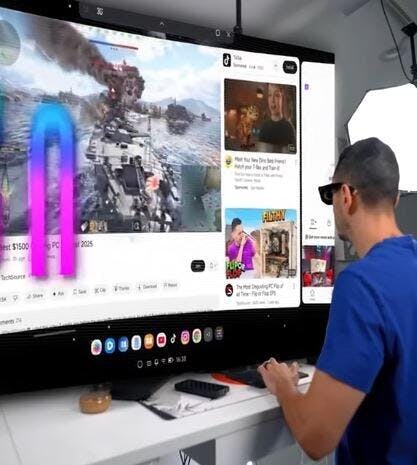
Multi-Screen Spatial Desktop – Open up to six windows at once in 3D space, and switch seamlessly between fixed (Hover) and follow-along (Follow) modes for ultimate multitasking.

Vast Android App Ecosystem – Run your favorite Android apps directly on the Pod. Arrange productivity, streaming, and social apps side by side—no split-screen needed.

Real-Time 2D-to-3D Rendering – Transform photos, videos, and streaming content into immersive 3D visuals with AI-powered depth inference and reconstruction.

Remote PC Streaming – Access Windows or macOS desktops on a massive 135-inch virtual display, locally or across networks, without needing your laptop.

135-Inch Private Cinema – Dual-eye Micro-OLED displays deliver edge-to-edge clarity at 49 PPD with smooth 120 Hz motion.

Instant Immersion or Transparency – Electrochromic lenses adjust from near-100% opacity to fully transparent with a simple swipe for instant environmental awareness.

We Deliver Our Orders Within 3-4 Days

You can request a return within 3–4 days after delivery.

INAIR 2 The Future Awaits

Multi-Screen Spatial Desktop – Open up to six windows simultaneously in 3D space, and switch between fixed (Hover) and follow-along (Follow) modes for seamless multitasking.

Vast Android App Ecosystem – Run your favorite Android apps directly on the Pod. Arrange productivity, streaming, and social apps side by side—no split-screen required.

Real-Time 2D-to-3D Rendering – Turn photos, videos, and streaming content into immersive 3D visuals with AI-powered depth inference and reconstruction.

Remote PC Streaming – Mirror Windows or macOS desktops onto a 135-inch virtual display, locally or across networks, eliminating the need for a laptop.

135-Inch Private Cinema – Dual-eye Micro-OLED displays provide edge-to-edge clarity at 49 PPD with smooth 120 Hz motion for ultra-sharp visuals.

what makes INAIR 2 AIR GLASSES special

INAIR 2 Elite AR Glasses offer 6-screen multitasking, immersive 3D visuals, and a 135-inch virtual cinema in a sleek, AI-powered wearable.

INAIR 2 Elite AR Glasses

FAQs

The INAIR 2 Elite Suite includes the INAIR Pod, which runs on its own Android-based system. You can use it directly with the glasses — no phone or computer required — and it supports a wide range of Android apps for an all-in-one AR experience.

If you want to use the INAIR 2 Pro glasses alone, they can connect to a phone or computer that supports Type-C video output. Since compatibility may vary depending on brand and model, we recommend checking your device’s specifications on the official website or with the manufacturer before connecting.

Yes! The Pod runs on Android and supports a wide range of Android applications. If the software, like Claude, has an Android version, you can install and use it directly on the Pod just like on any regular Android device.

For applications that don’t have an Android version, such as Epic Games PC apps, you can use the Pod’s streaming feature to run the software on your computer and control it from the Pod, giving you a full AR experience.

Currently, remote PC streaming supportsonly a single screenwhen connecting across different networks. Multi-screen setups areonly available when both devices are on the same local network.

Due to limitations from different regional carrier environments, remote cross-network streaming may not be supported on certain carrier networks in specific areas. If you encounter the same issue, you can try switching to another carrier network. Our R&D team is also working on adapting to networks in different regions, and remote streaming will become more widely supported in the future.

No Built-in Battery in the Glasses Themselves. The INAIR 2 Pro AR Glasses do not have their own internal battery. They require a connection to a compatible device that can supply both power and video output. To use them, you'll need a device that supports DisplayPort over USB-C.

When paired with the Pod, a full charge provides approximately 4 hours of use. For extended use, you can also connect a compatible hub to charge the Pod while using the glasses, ensuring your experience is never interrupted.